How to See Your Goalrilla Hoop Using Augmented Reality
Shopping for a premium in-ground basketball hoop is a major investment, and choosing the right one for your driveway is just as important as choosing the right performance level. With Goalrilla’s new 3D and Augmented Reality (AR) tool, you can preview select Goalrilla hoops in stunning detail and even place them in your actual space before you buy. This technology gives you the confidence to select the right model by experiencing size, presence, and key performance features in real time.
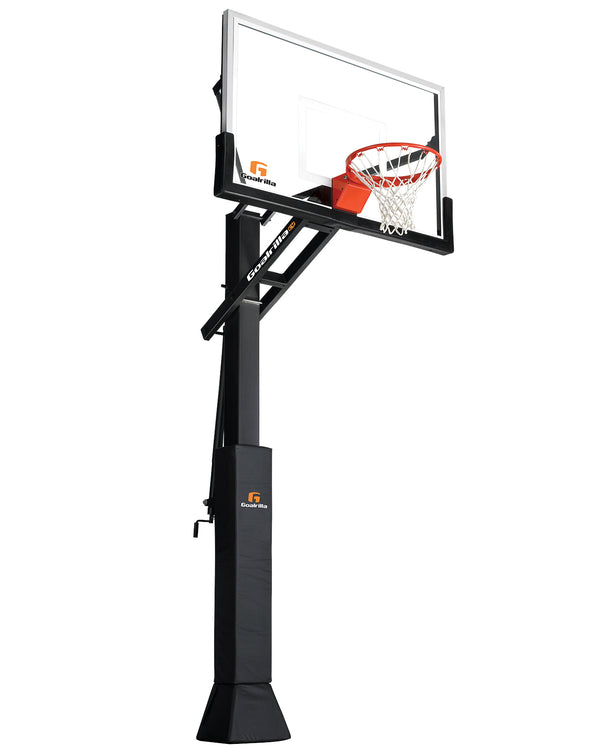
When exploring a potential hoop, you can start by using the 3D view, which is available on both mobile and desktop. On mobile, visit the product page of the model you’re interested in and tap on the second product image. From there, drag your finger around the screen to rotate the hoop and inspect it from every angle. You can zoom in to see details such as the tempered glass backboard, heavy-duty pole, and professional-grade overhang. If you’re on a desktop computer, scroll through the product image library until you reach the 360° view. Click and drag your mouse to rotate the hoop just as you would on a phone. This immersive 3D experience allows you to evaluate materials, proportions, and construction quality, including the anchor system, before ever stepping foot in a showroom. TRY IT NOW.
Once you’ve explored the hoop in 3D, you can take your research a step further with the mobile-only AR experience. Using AR, you can place the goal directly into your driveway through your phone’s camera. To access this feature, stay on the same product page and tap “View in Your Space.” Your camera will open automatically, and after aiming it toward your driveway, the system will anchor the hoop to the ground at full scale. This gives you a realistic sense of how the hoop looks in front of your home, how much overhang it provides, how much playing space you’ll have, and how it visually aligns with your driveway, garage, or surrounding landscape. You can walk around the virtual hoop as if it were installed and take screenshots to compare different locations or models.
Screenshots from the AR experience are also helpful beyond your own decision-making. Many customers use them to share placement ideas with family members, show a professional installer where they want the hoop positioned, or work with a local dealer to narrow down the best model for their space. Having a clear visual reference makes conversations easier and helps ensure everyone is aligned before installation.
It’s important to note that the “View in Your Space” AR feature may not be available on every phone model. Availability depends on device compatibility, so if you don’t see the option on your mobile device, you can still rely on the detailed 3D view to explore the hoop’s design and dimensions.
The combination of 3D and AR tools ensures you get an accurate, full-scale preview before making a purchase. Many customers find the AR experience especially useful for evaluating driveway clearance and deciding whether a 54", 60", or 72" backboard is the right fit. It also helps visualize regulation rim height, understand how far the hoop extends into the driveway, and determine whether placement should be centered or offset.
Goalrilla hoops are built for performance, and now you can experience that presence before installation. Explore the details, compare models, and see what a Goalrilla hoop could look like in your driveway by visiting a product page and trying the 3D and AR features for yourself.